scan | enrich | utilize

The Intelligent Inventory App for Your Company

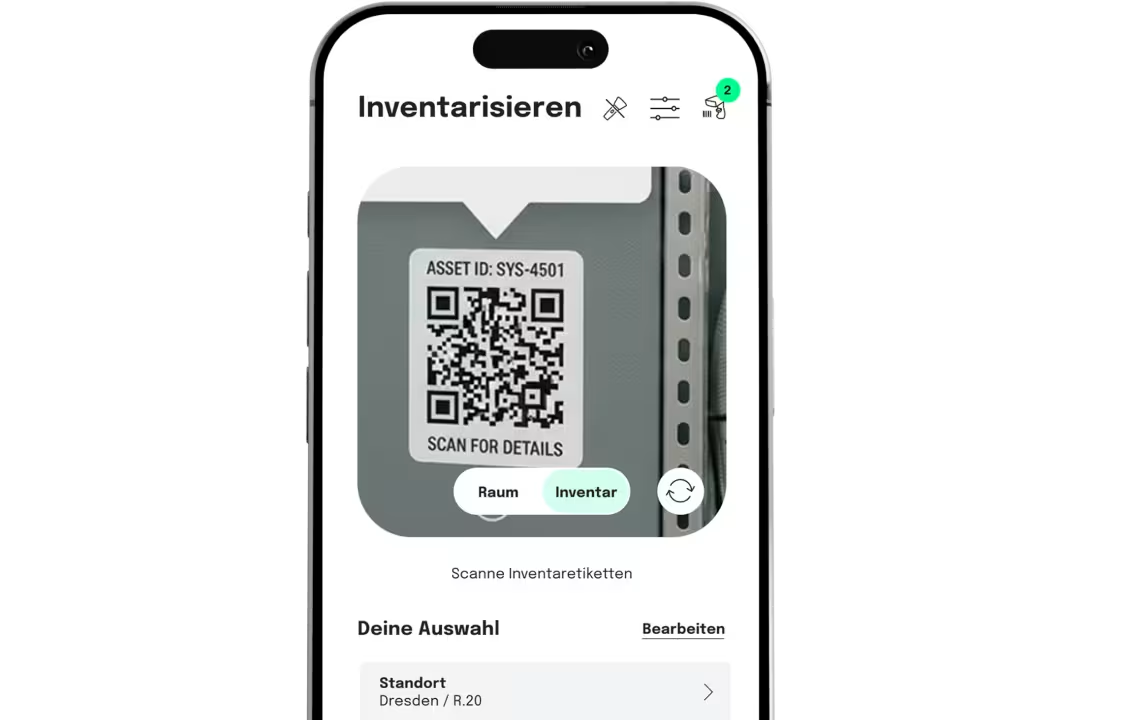
Forget Excel and paper lists. With the seventhings app for iOS and Android, you complete your inventory and asset management measurably faster – via smartphone scan, directly at the asset.

iOS & Android: Native performance on every device.
QR & Barcode: High-end scanning without expensive additional hardware.
Offline mode: Inventory anywhere, even without network coverage.
JOIN OVER 500
COMPANIES THAT USE SEVENTHINGS

Why our app means the end of inventory chaos.

Offline Capture & Scan

Scan barcodes and QR codes in milliseconds – even without an internet connection. Our reliable offline mode ensures you never lose data in the basement or warehouse.

AI Voice Input

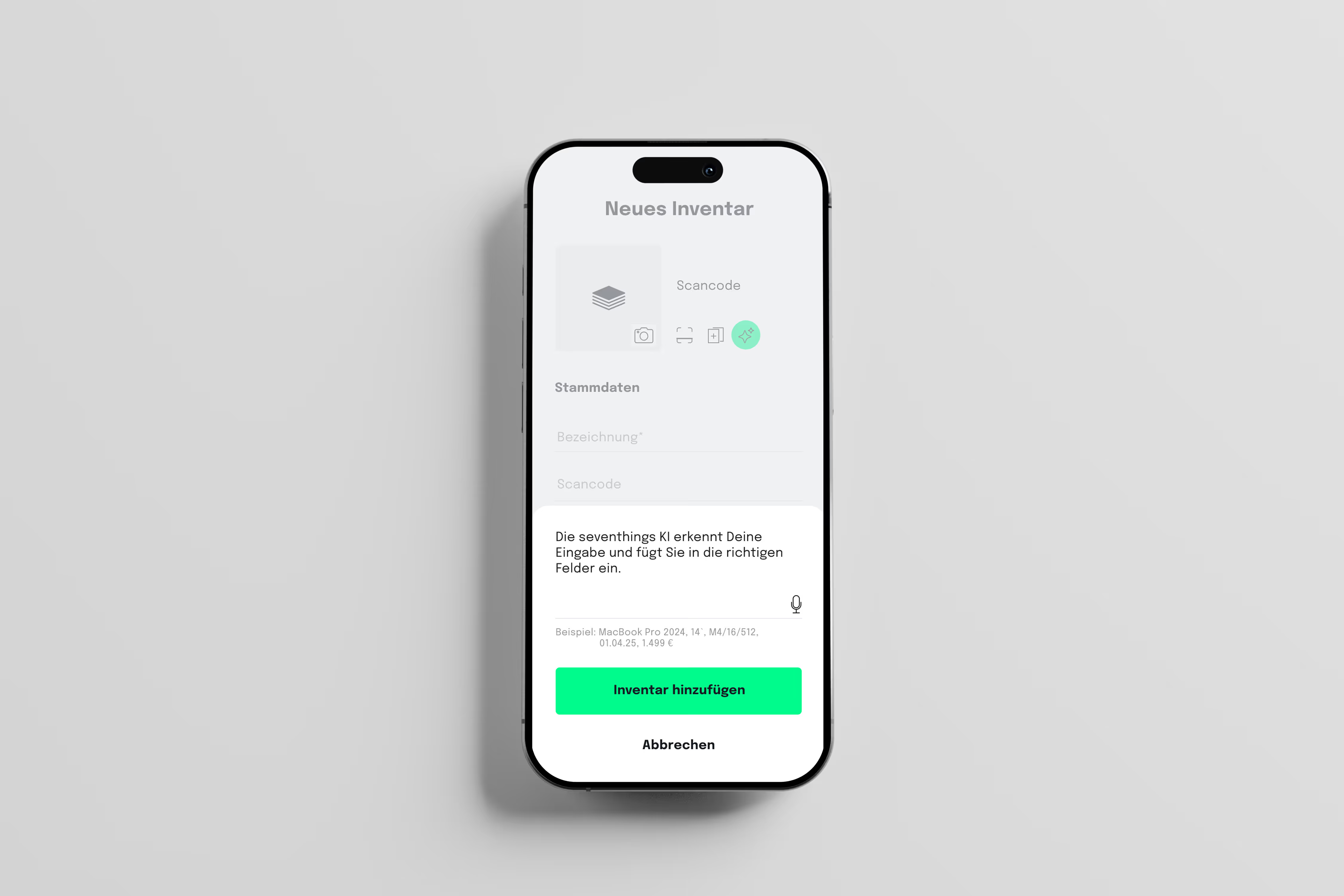
Document by voice: Our AI-powered voice input recognizes and categorizes asset information automatically. Capture inventory hands-free and measurably faster than by keyboard.

Tools icon
Digital Protocols

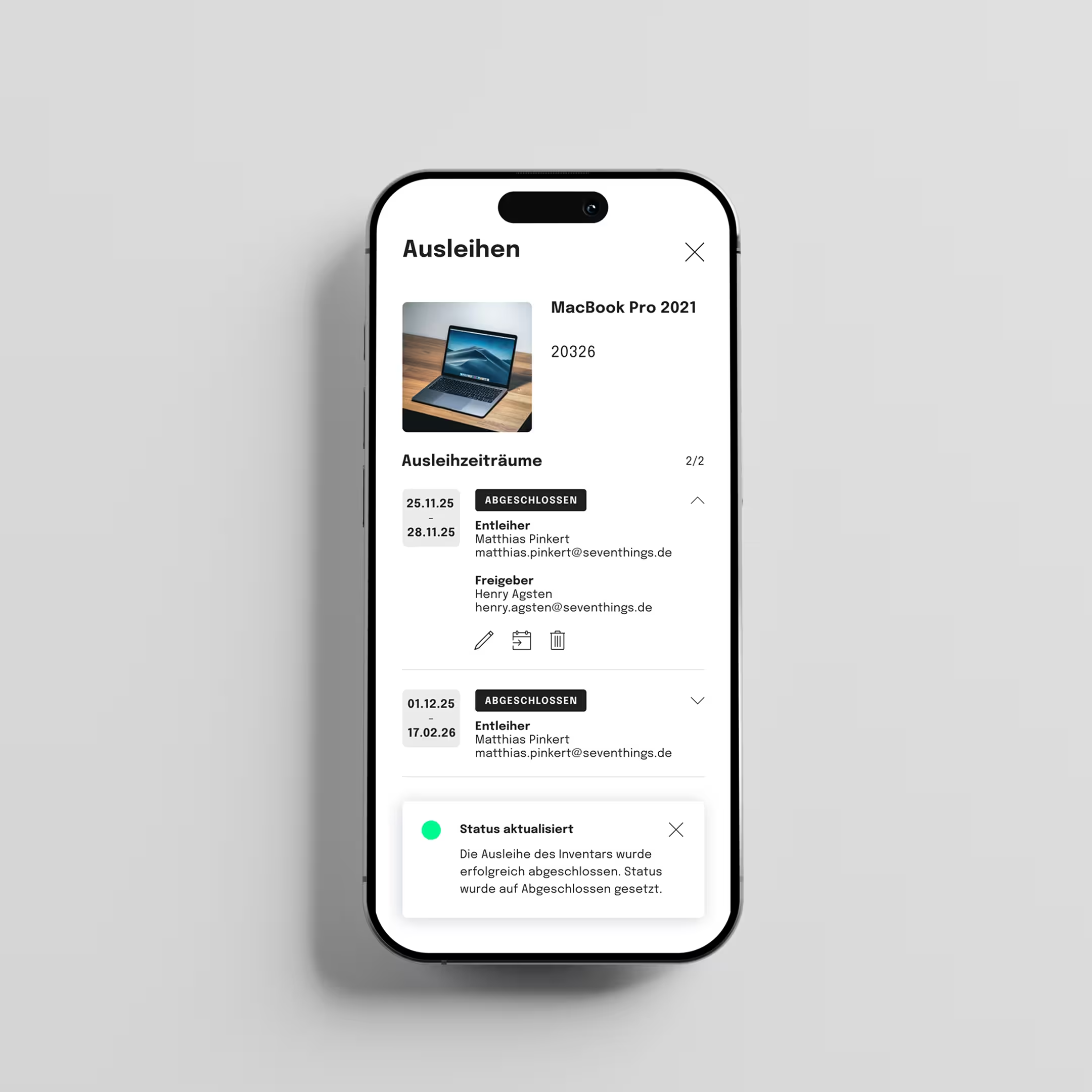
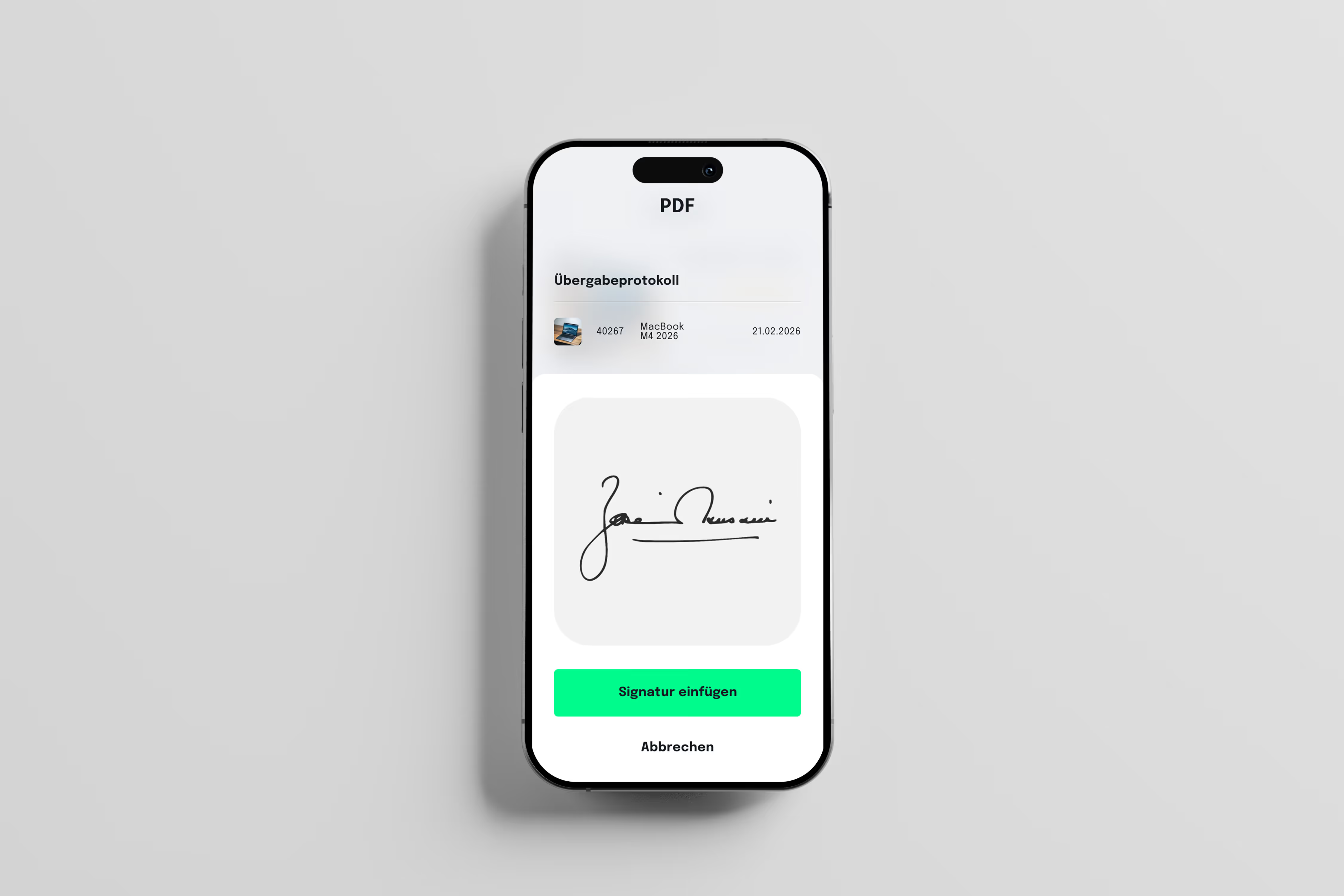
Create maintenance tasks directly at the asset and sign handover protocols legally via digital signature. Paperless documentation that saves time and costs.

GPS Tracking

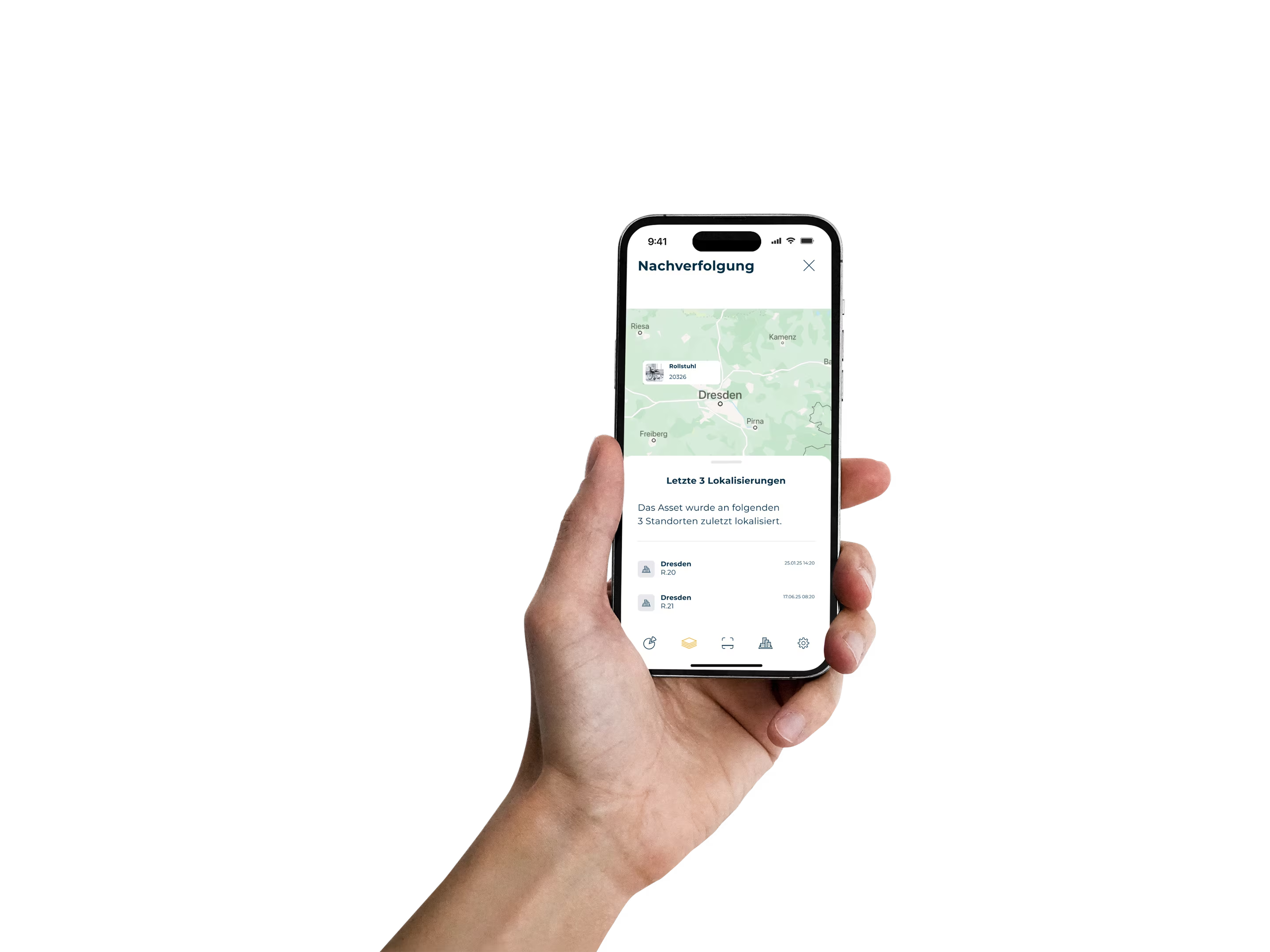
Never lose track again. With GPS asset tracking, you know exactly where mobile equipment is located – ideal for construction sites, cases, or distributed IT inventory.
WHY SEVENTHINGS
- clear & mobile

The Inventory App for Your Team.

Bridge the gap between operational capture and central management. Our inventory app is the high-performance tool for your users on site: scanning, documenting, and assigning happens in seconds directly at the asset. Manage furniture, IT equipment, contracts & licenses, as well as machinery & more centrally in one place.

Every mobile interaction is synchronized in real time and forms the valid foundation for your central management. While your team achieves maximum efficiency in the field with the inventory app, you maintain full sovereignty over the entire inventory on the dashboard. Turn operational scans immediately into reliable reports, optimize your investment planning, and secure your company-wide compliance – without manual data reconciliation, directly from the cloud.

seventhings inventory app
Info

Agile Location Structure

Full flexibility on site: Manage locations directly in the inventory app.

Map your entire company structure on mobile and in real time. With our inventory app, your users create new locations, buildings, or rooms directly at the point of action – without detours through the back office. Assign assets to the correct room per scan and create a seamless hierarchy according to your individual requirements. Whether global campus or distributed branch network: The inventory app serves as your mobile command center for precise inventory allocation.

Healthcare use cases display on mobile

Your 14-Day Trial — Professional, Secure, Fully Functional

Tick icon
Non-binding and free
Tick icon
No credit card required
Tick icon
Full support

We set up a personal, GDPR-compliant test environment for your company. 14 days with full functionality, best-practice tips from other customers, and personal guidance.

Some Form Elements
HS shape
form-columns-1
form-columns-2
HS shape Is main form class.
form-columns-1 Is class of wrapper with 1 column for inputs.
form-columns-2 Is class of wrapper with 2 columns for inputs.
Input and label
HS input
Field Description/Help text
hs-field-desc
This is help text for the field
Field error message
hs-error-msgs inputs-list
hs-error-msg
  • Error message label
hs-error-msgs inputs-list Is an HTML list element.
hs-error-msg Is a text span inside HTML list item element.
Text area input
hs-input hs-fieldtype-textarea
hs-fieldtype-textarea Is added as combo class.
checkboxes
hs-form-booleancheckbox
HS shape booleancheckbox display
inputs-list
HS input
Note: HubSpot uses basic HTML checkboxes, Webflow checkboxes work differently than the default HTML checkboxes, therefore in order to style HubSpot checkboxes you need custom CSS.
You can use Webflow Checkbox to style and then copy CSS from it.
Radio Buttons
inputs-list
HS shape radio
HS shape radio display
inputs-list
HS input
Success message
submitted-message
reCAPTCHA
HS recaptcha
Submit button
hs_submit
HS button
Oops! Something went wrong while submitting the form.
Modern Inventory Management

Inventory via App

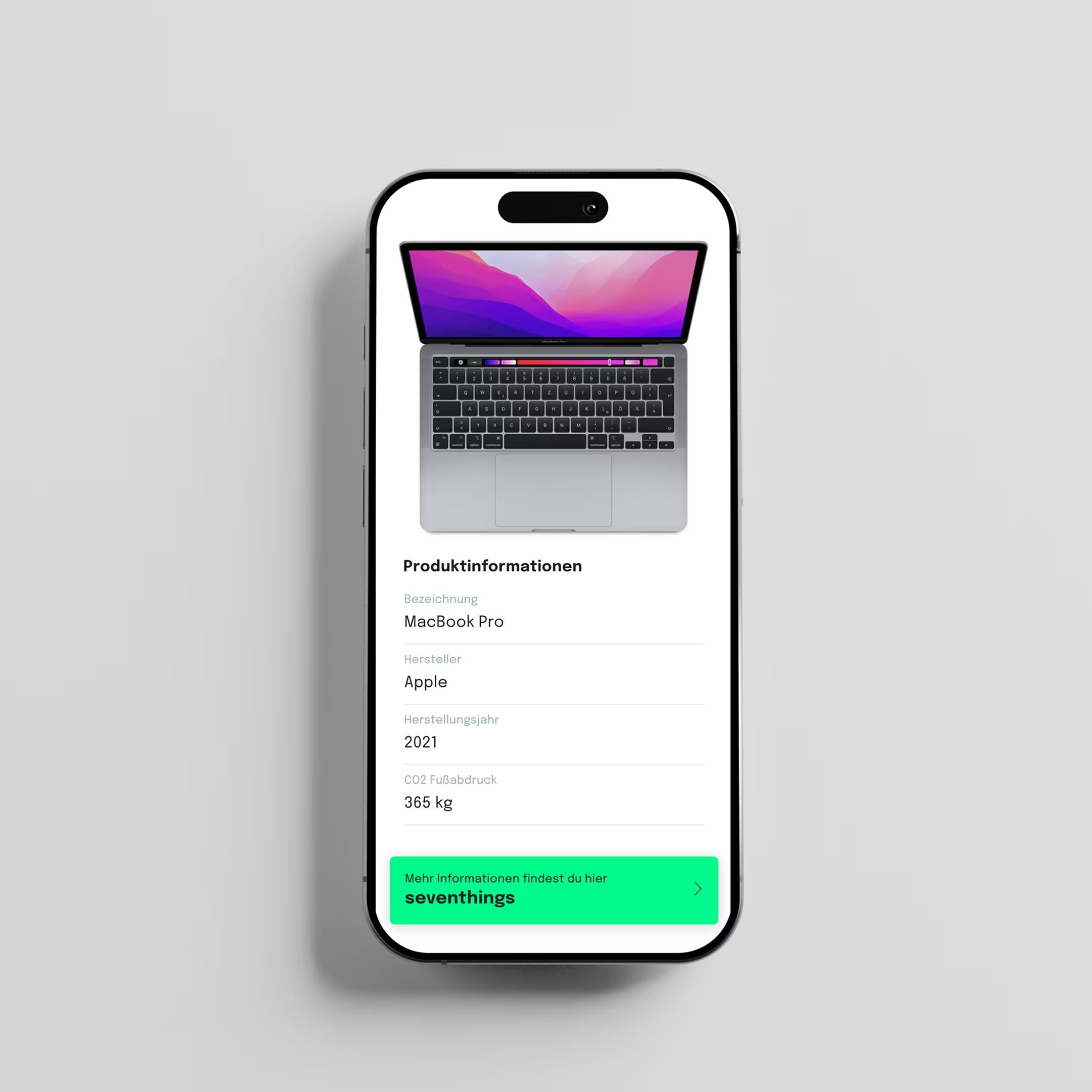
Whether in the office, working from home, or on the go: with our app, you always have your inventory in sight. Get a quick overview of all items and make changes with just a few clicks.

Trial starten

"seventhings offers us exactly the inventory capabilities we need!"

Hagen Kordon

Head of Finance, Architrave

Review stars

We love tools that you use

seventhings seamlessly integrates your existing tools like SAP or DATEV – for a smooth workflow you'll love.

3 Steps to Inventory Management

Bring all of your assets into a simple system within days, not months. Our streamlined onboarding process makes it easy for your organization to transition from chaos to control.

1
AI initial capture
of your devices

Start with a department and use our AI features to record your inventory within a very short time — with smart mapping and helpful import functions.

2
Enrich data &
Map processes

Assign assets to managers, locations, and cost centers. Store important documents, test periods and maintenance intervals to digitally map and optimize your real processes.

3
Lightbulb icon
Proactively manage &
optimize

With automatic deadlines, real-time insights into untapped potential and reports at the push of a button, you create the basis for secure audits and strategic planning.

100+

STUNDEN IM ERSTEN
MONAT GESPART

20%

KOSTENEINSPARUNG WEGEN
DOPPELKÄUFEN

90%

FASTER PROCESSES THROUGH CENTRALIZATION

Info

What Does Inventory Management Mean?

Inventory management is the process of systematically capturing, listing, and evaluating all assets of a company.

Questions & answers

What exactly is seventhings?

Seventhings is a sustainable asset management platform for companies with over 200 employees in the DACH region.

Our mission: We are fighting waste of resources. With clarity and resource intelligence, we enable sustainable and economic decisions. The platform digitizes and centralizes the entire inventory management — from IT equipment and licenses to office furniture to vehicles and machines. In doing so, seventhings transforms isolated object data into strategic knowledge: The entire life cycle of resources is digitally visible, measurable and controllable.

The result: Away from confusing Excel lists and unconscious waste — towards transparency, efficiency and circular economy. seventhings focuses on what already exists: Instead of constantly buying new things, the benefits of what already exists are maximized.

On which devices can I use the inventory app?

The seventhings Inventory app is native to iOS (iPhone/iPad) and android-Optimized devices. Simply download the app from the relevant store and start mobile inventory management right away.

Do I need expensive scanner hardware?

No, you don't need any additional equipment. Our app professionally transforms your existing smartphones into high-end barcode scanners.

If required, we have cooperations with powerful scanner providers.

What are the functions of inventory software?

Our inventory software offers a wide range of key features, including:

AI-powered initial entry:
Record all your assets in days instead of weeks, creating the basis for transparency and efficiency.

Task management:
Create tasks for specific items and assign them to employees.

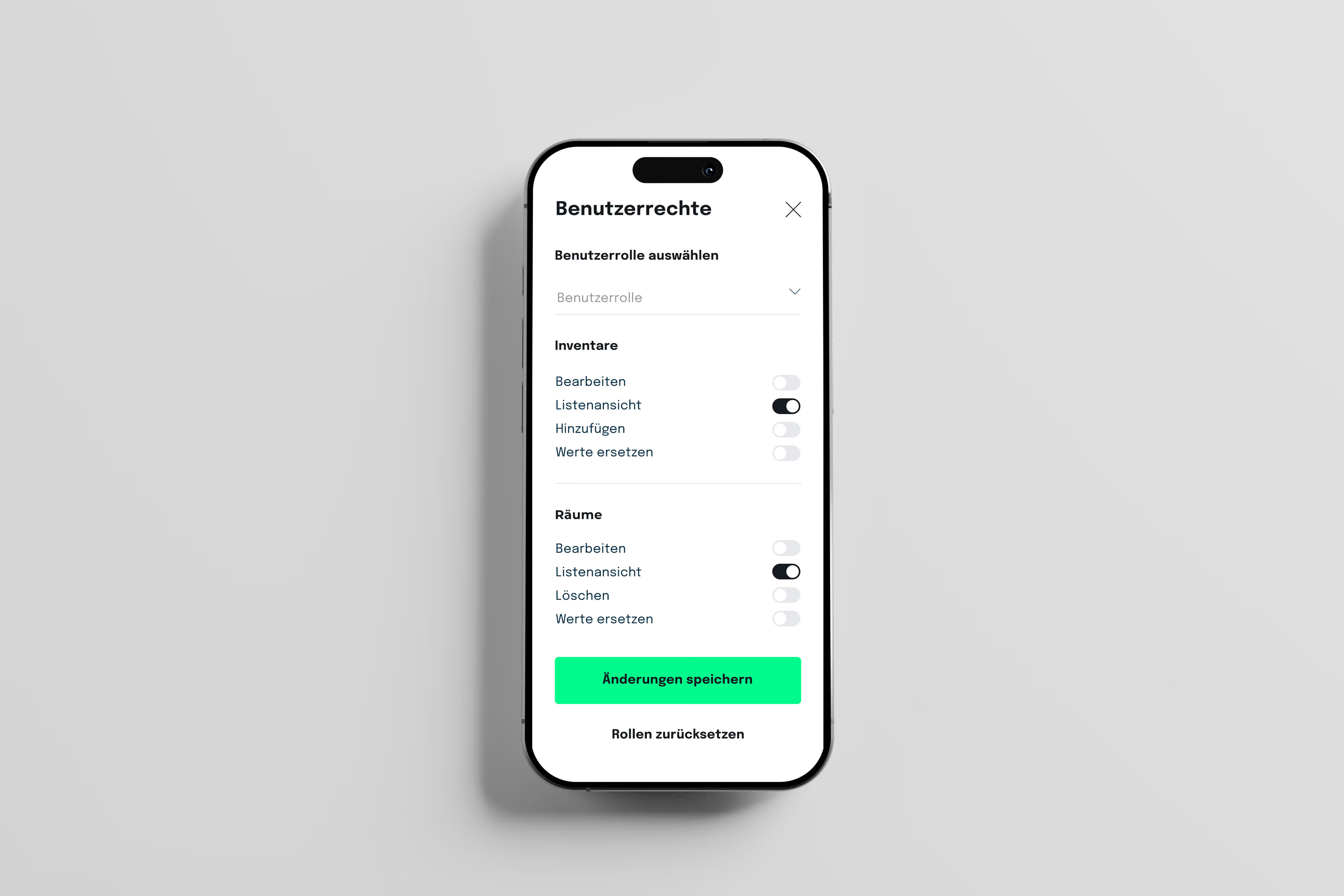
Role and rights management:
Assign different roles and permissions to different users within your team.

Room permissions:
Define specific access rights for individual rooms to ensure data security. Inventory and room history:
Track the changes and activities of individual objects and rooms over time.

PDF reports:
Create reports in PDF format for maintenance and handovers and sign them in the app.

CSV import and export:
Import and export data to easily share or edit with other applications. Inventory tracking:
Keep an eye on individual items and receive notifications when changes are made.

Single sign-on:
Simplify the login process and improve security with centralized login authentication. Circularity Hub:
Promote the circular economy by sharing unused items.

Integrations with Personio and SAP: Seamlessly connect inventory software to other business applications to ensure seamless exchange of information.

Is there a test/trial phase?

Yes — on request, we can set up a 14-day trial instance, accompanied by a kick off call and basic configuration. No credit card required.

Are there tutorials or instructions for the app?

Yes! In our Help Center You will find the right answer to every question and the functions and use cases of the seventhings app are explained in detail.

Is my data safe with seventhings?

Seventhings is 100% made in Germany and data protection is our top priority. Our solution is compliant with GDPR and GDPR. All data is encrypted via SSL during communication between client and server.