

5 Reasons Why Excel Fails in Facility Management – And What Truly Helps
Key Takeaways
- According to KPMG (2024), 18% of assets are untraceable during internal audits – Excel spreadsheets are a major cause.
- According to IDC (2023), FM teams lose an average of 5.3 hours per week searching for equipment, documents, and responsibilities.
- According to McKinsey (2024), erroneous inventory data costs companies between €50,000 and €200,000 annually due to unused or mismanaged equipment.
- Digital asset management solutions establish a structured, auditable data foundation in under 14 days – without replacing your ERP.
Excel spreadsheets for inventory: Comfort today, catastrophe tomorrow. Anyone in facility management who daily juggles equipment, inspection deadlines, furniture, and operational resources quickly turns to spreadsheets. It's readily available, costs nothing extra, and works – at least until the first inspection, the first equipment failure, or the first audit.
This article highlights five concrete situations where Excel solutions reach their limits. Not theoretical warnings – but scenarios that FM teams regularly encounter.
What's really behind the Excel problem in FM?
Facility managers often manage millions in physical assets: conference technology, operational equipment, DGUV-V3-certified devices, pool vehicles, cleaning equipment, mobile medical technology. Few of these assets have a network connection or sensors. They don't appear in any ERP system and are not fully recorded in any CAFM tool.
What's left? The Excel spreadsheet. It often starts with the best intentions – structured, well-maintained, color-coded. But with every new employee, every equipment relocation, and every inspection deadline that quietly passes, the gap widens between what the spreadsheet shows and what actually exists.
What's the real problem with Excel inventory lists?
Excel is a calculation tool, not an asset management system. It lacks an audit trail, logic for inspection deadlines, and mobile on-site data capture. As soon as more than one person makes changes simultaneously, data chaos ensues. For companies with more than 200 employees and distributed assets, Excel is structurally insufficient – regardless of how well the spreadsheet is maintained.
Reason 1: Version chaos makes inventory data unreliable
How many versions of your inventory list currently exist? On the network drive, in email inboxes, on a colleague's laptop in their home office?
According to a Forrester study (2023), 73% of ERP users still maintain Excel lists in parallel. Not because the ERP is bad – but because it often simply doesn't cover physical assets. The result: multiple versions of the same inventory list that no one synchronizes anymore.
A typical scenario in FM: The facility manager enters a new device into their local copy. The purchasing manager simultaneously updates supplier data in the main version. The maintenance manager exports data shortly before for an inspection. Three snapshots, none of them current.
What gets lost isn't just order – it's reliability. Anyone who can't trust an inventory list starts buying assets twice, missing inspections, or relying on verbal statements during audits.
How reliable are Excel inventory lists in practice?
According to ISACA (2024), 41% of audits fail at companies with manual asset records – meaning those that lack an automated change history. Excel spreadsheets structurally do not meet this requirement: without additional logging, it's impossible to trace who changed which row when. For FM teams, this represents a tangible compliance risk.
Reason 2: Inspection deadlines silently expire – with real consequences
DGUV V3 inspections, UVV compliance dates, internal maintenance intervals: In FM, there are numerous deadlines that must not be missed. Excel can store data – but it doesn't actively remind anyone.
Anyone managing inspection deadlines in a spreadsheet relies on manual checks: someone has to regularly open, filter, and evaluate the data. If that person is unavailable – due to vacation, illness, or a job change – the deadline is quietly missed.
The consequences are not theoretical. An asset not inspected on time, which is subsequently involved in a workplace accident, can lead to legal liability. FM managers bear personal responsibility in such cases.
What happens when DGUV inspection deadlines are managed in Excel?
Excel sends no automatic reminders and has no escalation logic. Inspection deadlines must be monitored manually – if the responsible person is unavailable, the deadline is quietly missed. A digital asset management system like seventhings actively reminds you before expiration, seamlessly documents the inspection history, and provides legally compliant proof.
Reason 3: Lack of mobile tracking leads to phantom inventory
Assets move around. A projector is taken to Building B for a workshop and never returns. A wheelchair has been on a different floor for months. A measuring device was borrowed and isn't recorded anywhere.
Excel doesn't know real-time locations. The spreadsheet shows what once was – not what currently is. Anyone managing assets without a mobile tracking system maintains an inventory that is already outdated the next time they look.
This leads to a phenomenon well-known in many FM departments: phantom inventory. Devices exist on paper but are de facto unavailable. According to McKinsey (2024), companies tie up between 50,000 and 200,000 € in unused or mismanaged equipment.
At the same time, the purchasing department reorders – because the desired device isn't marked as available in the list. These duplicate purchases only become apparent at the next annual closing.
How can physical assets be tracked on the go without IoT sensors?
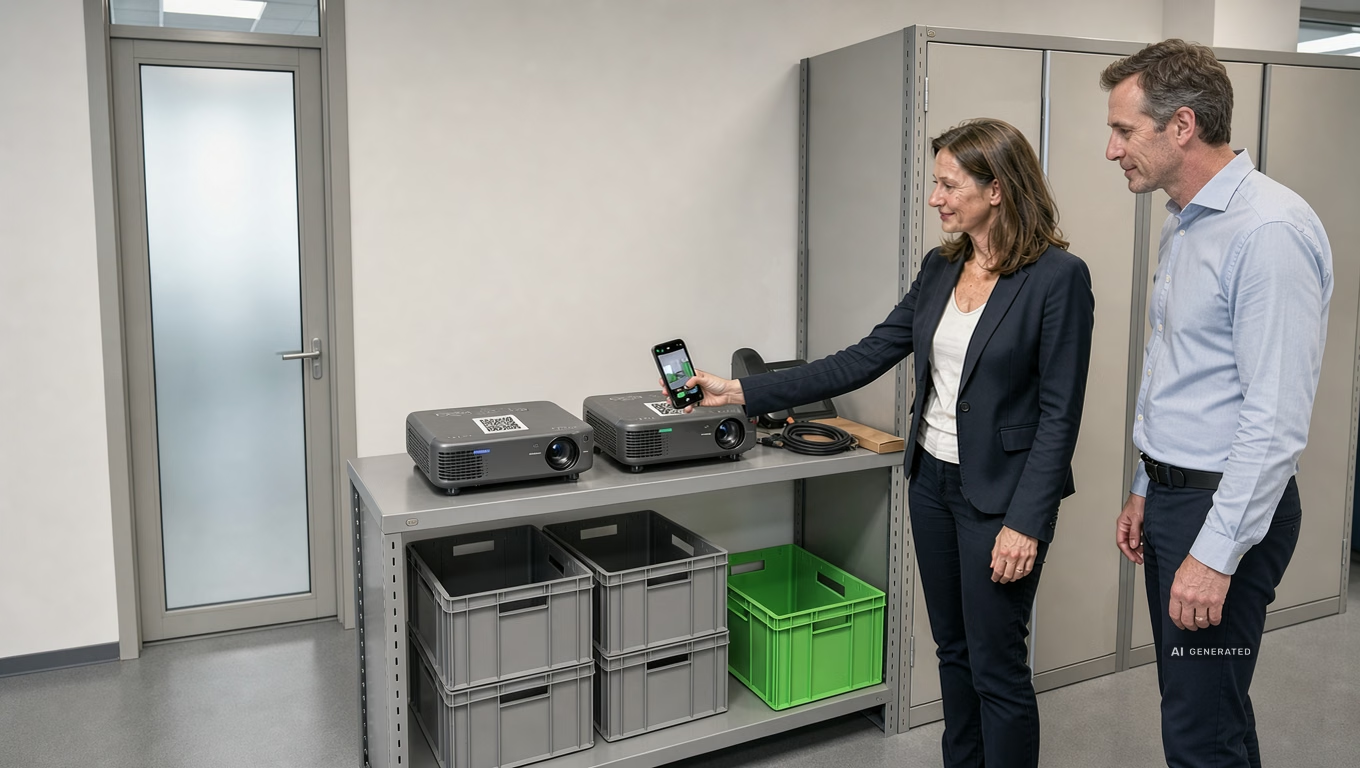
Modern asset intelligence platforms like seventhings work with QR codes or RFID labels that are directly attached to the asset. Via a mobile app any employee can update the location, report defects, or document inspections – without a stationary terminal, without a network connection on the device itself.
Reason 4: No Audit Trail – a problem for audits and financial statements
Who moved the device when? When was the last inspection performed? What was the serial number of the laptop that was replaced?
Excel has no memory. Every change overwrites the previous one – unless someone manually created a version history. In practice, no one consistently does this because it involves enormous effort.
During tax audits, internal audits, or liability issues, this becomes precisely the problem. According to KPMG (2024), 18% of assets are not locatable during audits. What cannot be traced cannot be proven.
For financial statements, a lack of traceability means: extended inventory cycles, manual recounts, and burdensome queries from auditors. According to Deloitte (Financial Close 2024), financial close cycles are significantly shortened when real-time asset data is available – instead of spreadsheet exports that are already outdated by the time they're printed.
Why isn't an Excel list sufficient for inventory audits?
Excel does not generate a tamper-proof audit trail. Changes, location transfers, and inspection records cannot be documented in an audit-proof manner. According to ISACA (2024), 41% of audits fail at companies with manual asset records. seventhings documents every process with a timestamp, user, and context – completely and exportable for auditors.
Reason 5: Scalability trumps Excel – with every new location
If you manage one office, you might still get by with Excel. Anyone coordinating three locations, two external warehouses, and a vehicle fleet will hit a wall by the next audit at the latest.
Excel is not designed for parallel use by distributed teams. Cross-location reports require manual consolidation from multiple files. Access rights cannot be controlled granularly. A maintenance technician at location B cannot see in real-time if the desired device is available at location A.
According to IDC (2023), employees spend an average of 5.3 hours per week searching for assets, documents, and responsibilities. For a 20-person FM team, this amounts to over 106 hours of lost productivity – every week.
Staff turnover is another factor. When the person who 'knows' the inventory list leaves the company, it's not just a position that's lost – but also the implicit knowledge of conventions, abbreviations, and structural decisions that are nowhere documented.
When does an alternative to Excel for inventory management become worthwhile?
As soon as more than one location, more than one responsible person, or more than two regular inspection cycles are involved, the risks of Excel-based inventory management outweigh the benefits. seventhings is designed for companies with approximately 500 managed assets or more and can go live with the first assets in under 14 days – without an IT project, and without requiring ERP integration.
What is the alternative? Asset Intelligence instead of spreadsheet maintenance
Excel is not a bad tool – it's the wrong one for this purpose. The alternative is not a software migration with a six-month implementation project. It's a lean asset intelligence platform that precisely fills the gap left by ERP and CAFM.
What a digital inventory solution should provide:
- Mobile Data Capture — Capture assets on-site via QR code or RFID, update location, attach photos
- Deadline Management — automatic reminders before inspection dates, escalation upon exceeding deadlines
- Audit Trail — every change with timestamp, user, and context
- Cross-Location Overview — one system for all buildings, warehouses, locations
- Reporting — exportable lists for auditors, insurance, internal control
seventhings specifically addresses the 80% of physical assets that lack IoT, sensors, or network connectivity – and therefore don't appear in any ERP system.
What's next?
Replacing Excel isn't an IT project – it's an operational decision. Three steps FM teams can implement immediately:
- Asset Inventory — Which assets are currently managed in Excel, and where? Where do the biggest friction points arise (inspection deadlines, location searches, audits)?
- Assess Readiness — Download the checklist "Am I ready for digital inventory?" and assess your current maturity level.
- Asset Potential Analysis — seventhings offers a free analysis of your asset inventory: Which assets are affected? Which quick wins can be achieved?
Frequently Asked Questions
Can't Excel be sufficient for inventory management with better structuring?
Structuring efforts help in the short term but don't solve the core problems: missing audit trails, no deadline reminders, no mobile data capture, and no collaborative work without version conflicts. According to ISACA (2024), 41% of audits fail with manual asset records – regardless of how well the spreadsheet is structured. Beyond a certain scale, more effort is spent maintaining Excel than on the actual work with the assets.
What does it cost to switch from Excel to a digital inventory solution?
The biggest costs aren't from the software, but from the status quo: McKinsey (2024) estimates unused or mismanaged equipment costs at €50,000–€200,000 per SME annually. A specialized asset intelligence platform like seventhings can go live with the first assets in under 14 days and typically pays for itself within a few months through reduced search times, avoided duplicate purchases, and shorter inventory cycles.
Does an asset management solution replace our existing ERP or CAFM system?
No – and that's the point. ERP systems are optimized for financial data and supply chains, CAFM systems for buildings and space planning. Most physical assets in FM – operating equipment, testing devices, mobile medical technology, conference equipment – don't fully appear in any of these systems. seventhings closes this gap as middleware, without replacing existing systems.
How long does it take to implement a digital inventory solution?
With seventhings, FM teams go live with their first assets in under 14 days. Implementation requires no IT project, no prerequisite ERP integration, and no multi-month training phase. QR code labels are attached directly to assets, employees record data via the mobile app – and the data foundation grows organically.












.svg)

.svg)
.svg)