End Shadow IT

Professional IT Asset Management

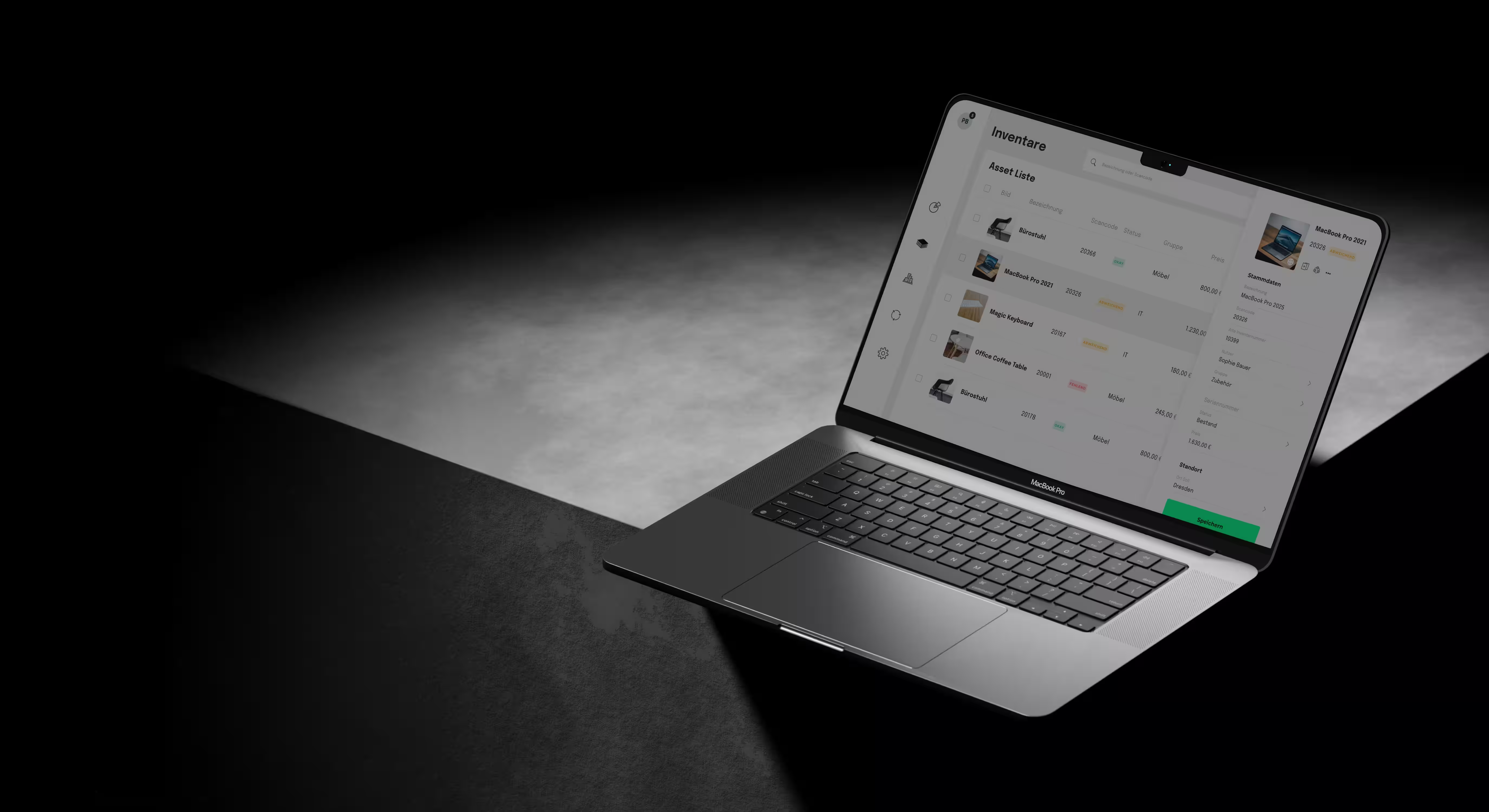
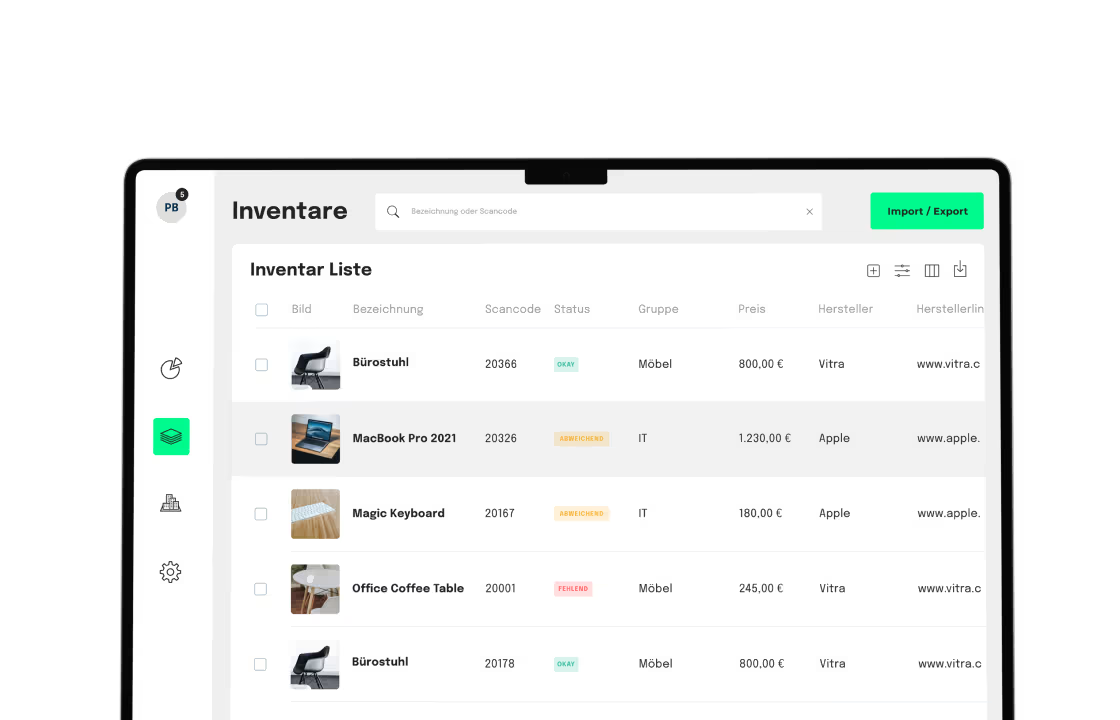
No more outdated Excel lists and IT chaos. With seventhings IT inventory software, you centralize your hardware inventory – from laptops to servers. seventhings combines high-performance scanning with central cloud management – for maximum transparency from onboarding to decommissioning.

Smart workflows: Inventory IT hardware in record time
Lifecycle management: Track every asset from procurement to disposal
20+ integrations: Seamless connection to your existing IT infrastructure
JOIN OVER 500
COMPANIES THAT USE SEVENTHINGS

Hardware in view. IT budgets under control. Efficient IT inventory.

Smartphone tablet icon
Precise Capture

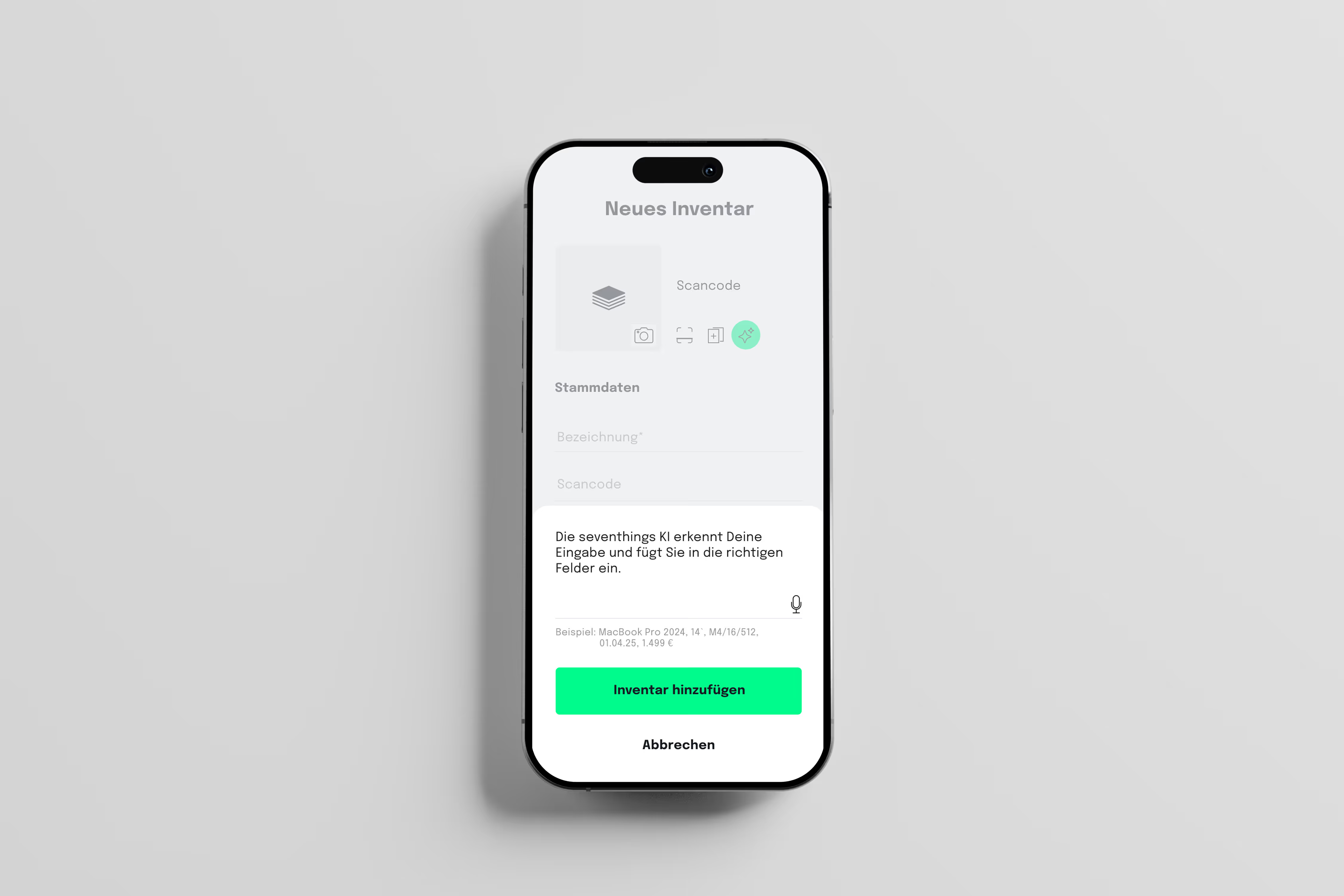
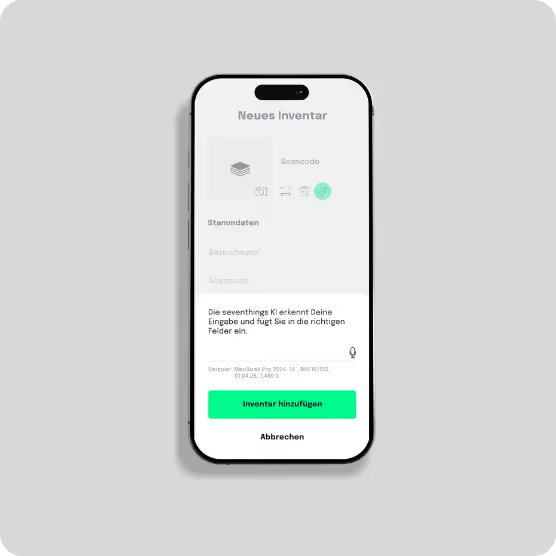
Replace manual lists with a simple scan or convenient import. Capture IT hardware mobile via QR code or barcode and enrich important data via voice input.

Active Management

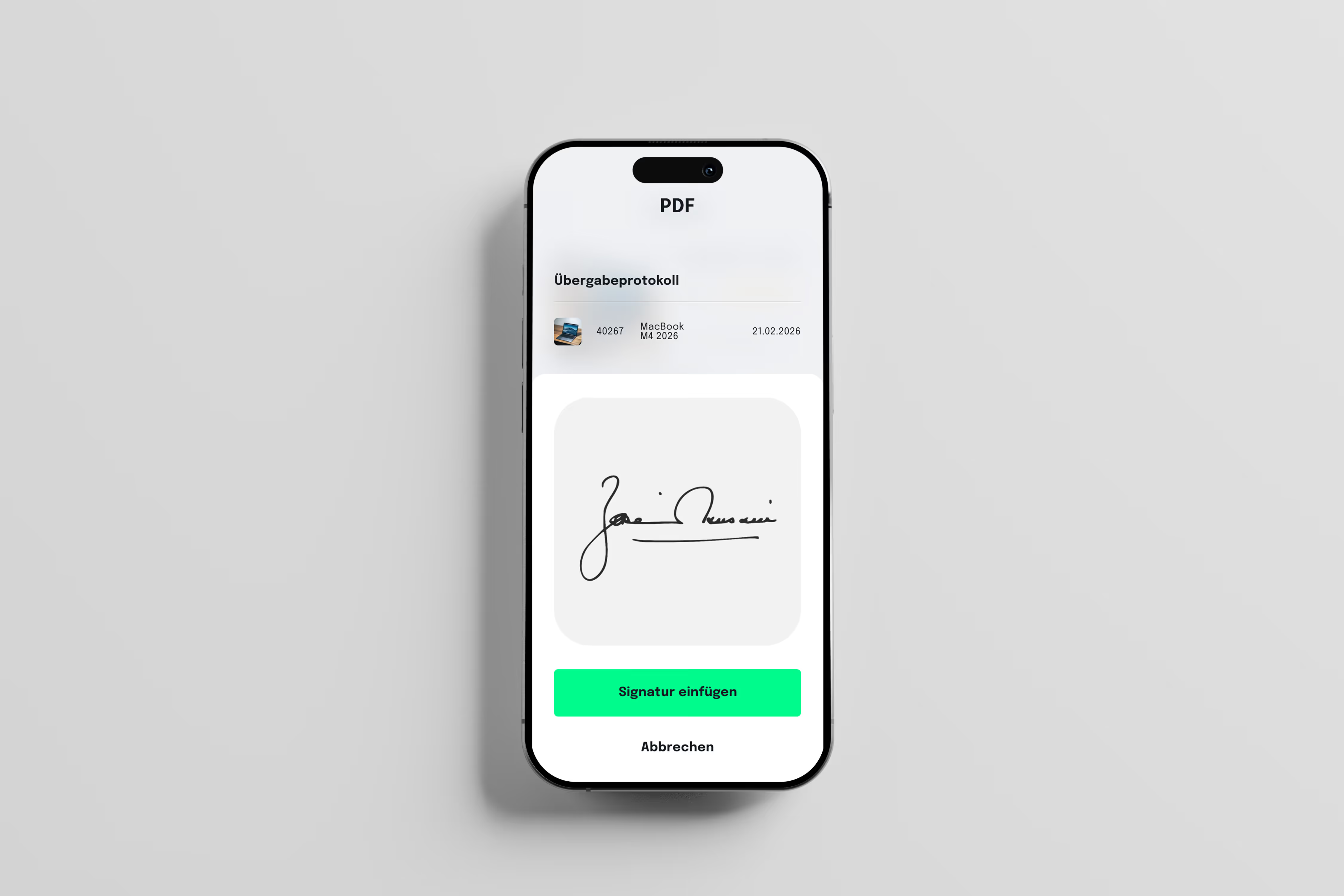
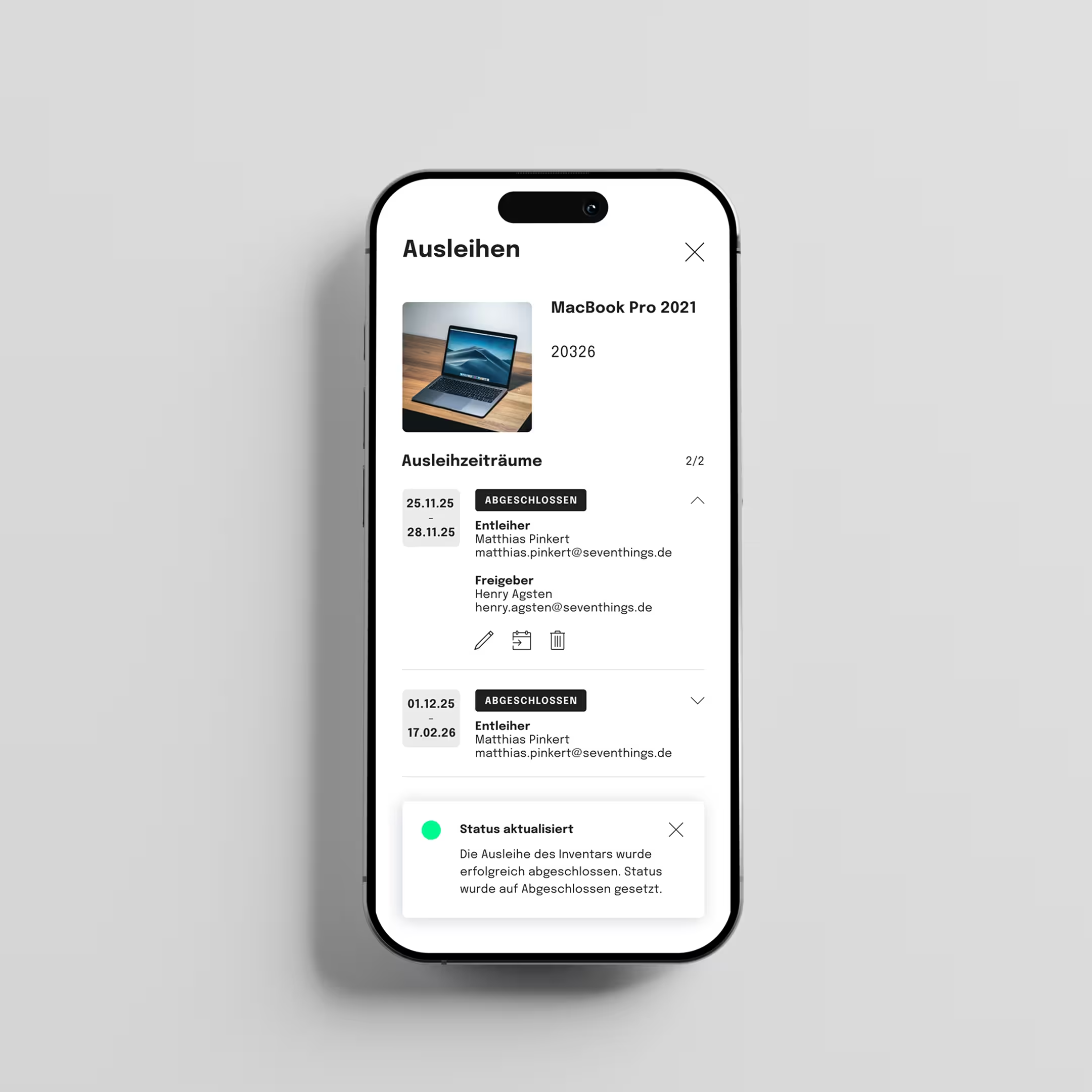
Know at all times which employee is using which device. With digital handover protocols, you create accountability for laptops, tablets, and mobile devices.

Laptop icon
Seamless Integration

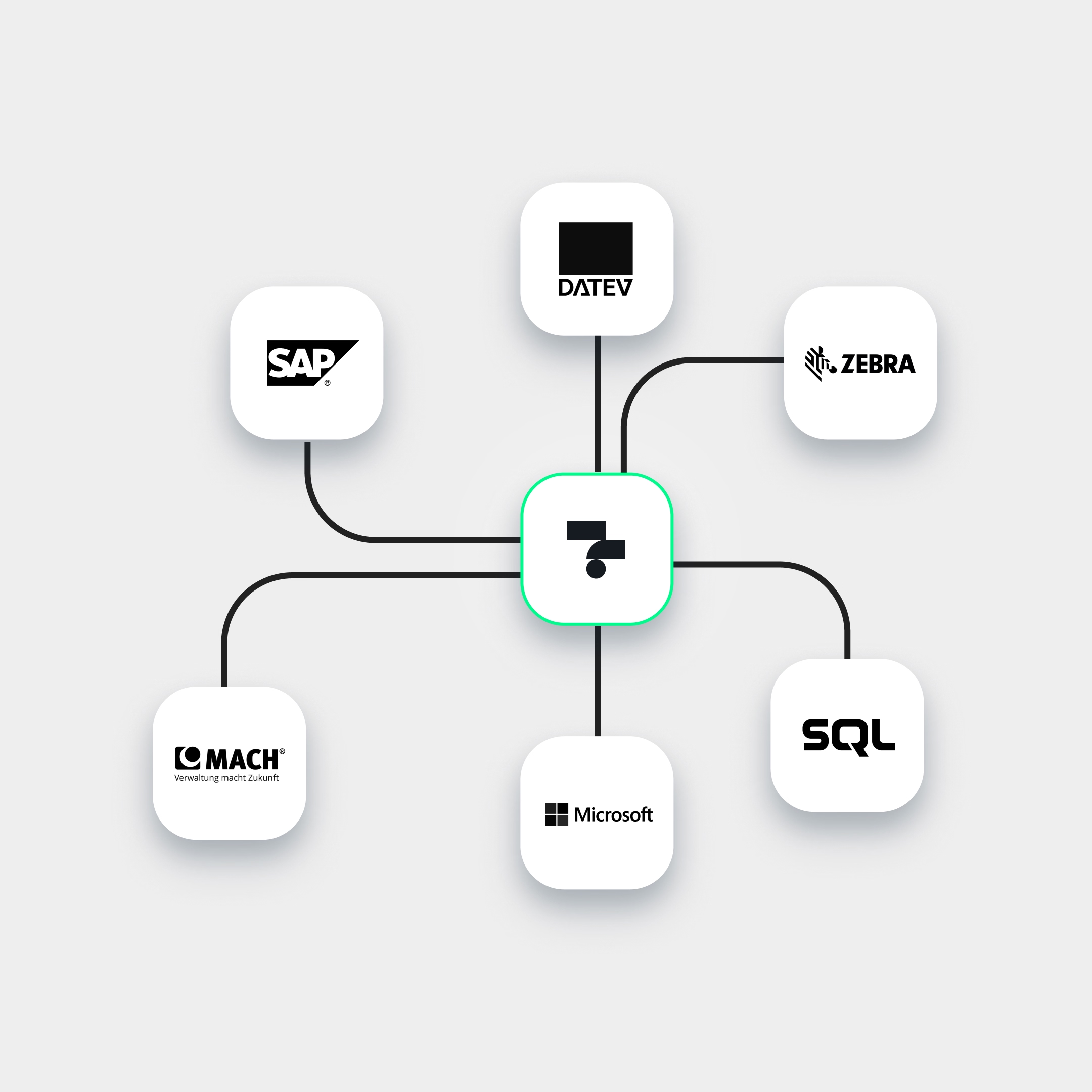
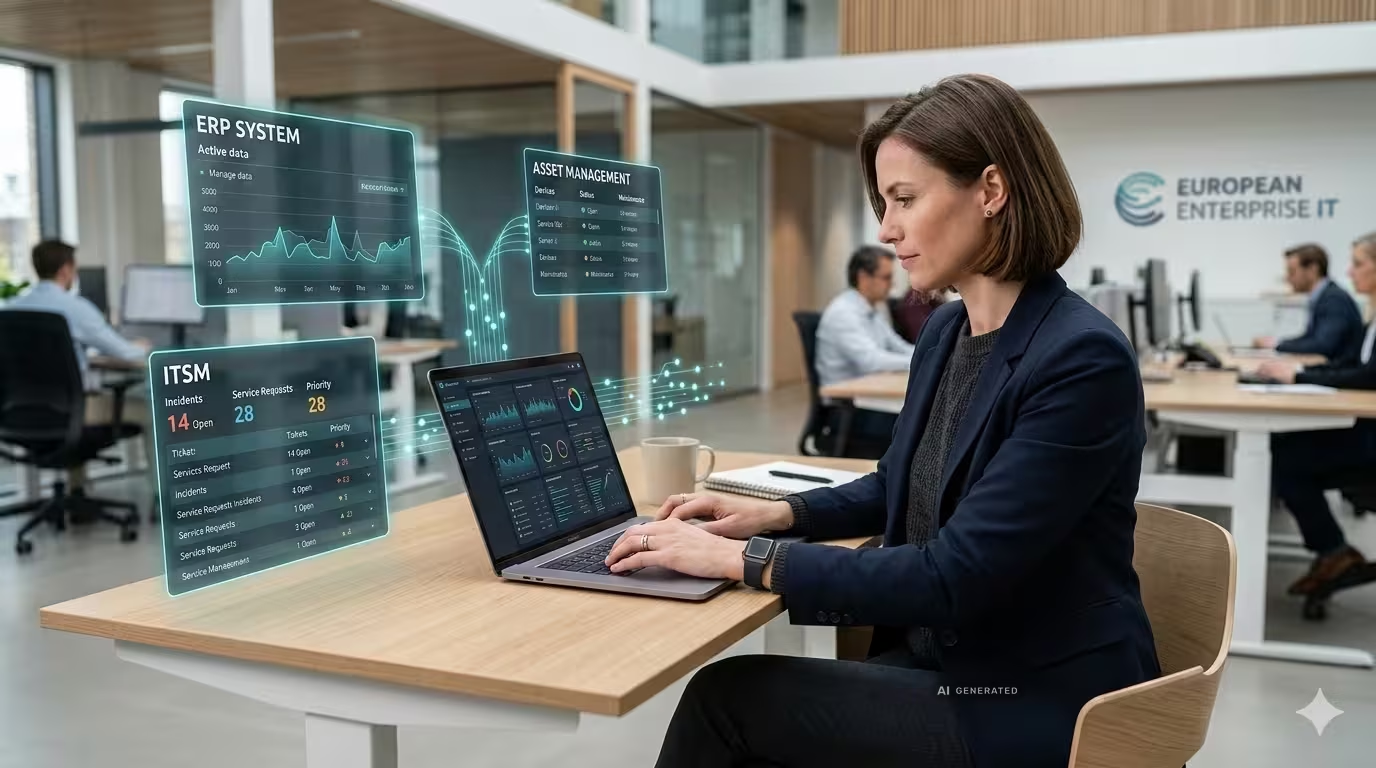
No data silos: seventhings IT inventory software connects via API with 20+ systems (MS, SAP) to keep data between ITAM and ERP in sync.

Maximum Efficiency

Maximize the hardware lifecycle. Avoid unnecessary new purchases through full transparency over existing inventory and proactive maintenance.
info

Was ist ITAM?

IT Asset Management (ITAM) ist die strukturierte Erfassung, Verwaltung und Nachverfolgung aller Hardware-Assets, Software-Lizenzen und IT-Geräte eines Unternehmens über ihren gesamten Lebenszyklus.

Laut Gartner verlieren Unternehmen den Überblick über 30–40% ihrer IT-Hardware im Laufe des Asset-Lebenszyklus (Gartner IT Asset Management 2023) — mit direktem Effekt auf Sicherheits-, Compliance- und Budgetrisiken.

Strategic control instead of manual lists.

- Use cases

Lots of IT Equipment. One Platform.

seventhings is your central hub for hardware and software assets with all the features, integrations, and support you need for your company's growth – for maximum value from day 1.

TEXT
This is some text inside of a div block.
Tick icon
This is some text inside of a div block.
Tick icon
This is some text inside of a div block.
Tick icon
This is some text inside of a div block.
TEXT
This is some text inside of a div block.
Tick icon
This is some text inside of a div block.
Tick icon
This is some text inside of a div block.
Tick icon
This is some text inside of a div block.
TEXT
This is some text inside of a div block.
Tick icon
This is some text inside of a div block.
Tick icon
This is some text inside of a div block.
Tick icon
This is some text inside of a div block.
Scaling
IT-Assets & Workplace
Tick icon
Minimal hardware loss: Full transparency in the office and when working from home.
Tick icon
Ideal for IT operations and HR: rapid scaling for onboarding and rollouts.
Tick icon
thanks to digital logs: legally compliant documentation.
HR
On- and Offboarding
Tick icon
Structured handover of equipment & guaranteed return upon departure
Tick icon
ideal for: IT teams, HR managers & people operations
Tick icon
Legally compliant and paperless documentation thanks to digital signatures and PDF records
Licence management
Tick icon
A central overview of all software licences, SaaS subscriptions and contract terms
Tick icon
ideal for: IT procurement, licence managers & software asset management (SAM)
Tick icon
Automatic cancellation reminders help avoid unnecessary costs arising from unused subscriptions (shadow IT)
Compliance & Maintenance
Tick icon
Automated reminders for DGUV V3, lease expiry dates and safety checks
Tick icon
ideal for: IT managers, compliance officers & facility management
Tick icon
All maintenance records and audits available at the touch of a button, in an audit-proof format
Handover & Assignment
Tick icon
Instant allocation of laptops, smartphones and equipment
Tick icon
ideal for: IT administrators, system integrators & office management
Tick icon
Comprehensive documentation of accountability, including digital lending management
Budget optimisation
Tick icon
Full transparency regarding existing IT assets & avoidance of costly duplicate purchases
Tick icon
ideal for: CIOs, CFOs, IT managers & procurement departments
Tick icon
Precise planning of reinvestments through data insights across the entire hardware lifecycle
New
Rental management
Tick icon
higher equipment utilisation & fewer new investments
Tick icon
ideal for operations and plant managers
Tick icon
thanks to the self-service booking portal, including a loan record
Contract management
Tick icon
Central storage for leasing contracts, service level agreements (SLA) & maintenance contracts
Tick icon
ideal for: IT purchasing, legal departments & facility managers
Tick icon
automatic notifications before expiry of notice periods & warranty claims
info

From Excel silos to a live system – rollout in days, not months.

Transform outdated Excel lists into highly efficient digital IT asset management without migration effort.

The biggest obstacle for new software is usually the fear of migration effort. seventhings is optimized to consolidate your existing data (CSV, Excel, or third-party systems) in record time. Thanks to our intelligent import logic and intuitive app interface, your team is ready immediately without lengthy training.

Zentrales Symbol verbunden mit Logos von SAP, DATEV, Zebra, MACH, Microsoft und SQL.

Your 14-day trial — professional, secure, fully functional

Tick icon
Non-binding and free
Tick icon
No credit card required
Tick icon
full support

We set up a personal, GDPR-compliant test environment for your company. 14 days with full functionality, best-practice tips, and personal guidance.

Some Form Elements
HS shape
form-columns-1
form-columns-2
HS shape Is main form class.
form-columns-1 Is class of wrapper with 1 column for inputs.
form-columns-2 Is class of wrapper with 2 columns for inputs.
Input and label
HS input
Field Description/Help text
hs-field-desc
This is help text for the field
Field error message
hs-error-msgs inputs-list
hs-error-msg
  • Error message label
hs-error-msgs inputs-list Is an HTML list element.
hs-error-msg Is a text span inside HTML list item element.
Text area input
hs-input hs-fieldtype-textarea
hs-fieldtype-textarea Is added as combo class.
checkboxes
hs-form-booleancheckbox
HS shape booleancheckbox display
inputs-list
HS input
Note: HubSpot uses basic HTML checkboxes, Webflow checkboxes work differently than the default HTML checkboxes, therefore in order to style HubSpot checkboxes you need custom CSS.
You can use Webflow Checkbox to style and then copy CSS from it.
Radio Buttons
inputs-list
HS shape radio
HS shape radio display
inputs-list
HS input
Success message
submitted-message
reCAPTCHA
HS recaptcha
Submit button
hs_submit
HS button
Oops! Something went wrong while submitting the form.
Mobile inventory management via app

Simple Hardware Management

Whether in the office, home office, or on the go: with our app you always have your IT equipment in view. Get a quick overview of all items and make changes with just a few clicks.

Start trial

We are Telekom Partners

Our customers benefit from the secure Open Telekom Cloud, where we host their data GDPR-compliant in Germany.

As part of the Telekom TechBoost Program, we work with IT experts to further develop our inventory software.

"seventhings offers us exactly the inventory capabilities we need!"

Hagen Kordon

Head of Finance, Architrave

Review stars

We love tools that you use

Seventhings seamlessly integrates your existing tools such as SAP or DATEV — for a seamless workflow that you'll love.

Schwarze Uhr mit einem weißen Zifferblatt und schwarzen Zeigern, die 10:09 Uhr anzeigen.

50%

TIME SAVED ON IT INVENTORY

Zahn mit mehreren auf ihr markierten Stellen von Einprägungen oder Einkerbungen.

30%

LESS HARDWARE SPENDING

Icon einer Hand, die einen Schraubenschlüssel hält, symbolisiert Reparatur oder Wartung.

15%

LESS HARDWARE SHRINKAGE

Holistic
customer support

More than just a platform — your growth-oriented partner that streamlines processes, reduces costs and enables scaling. Faster inventories, fewer duplicate purchases, clear data for better decisions and optimized reuse.

Assistant support icon
More personal
contact person

Your personal customer success manager will guide you from kick‑off to ongoing operation.

Goal icon
Individual
Onboarding

Tailored onboarding: configuration, data import, and training for a quick and successful start.

Lightbulb icon
Seventhings
Help Center

In our help center, you'll find answers to the most important questions: how‑to‑guides, FAQs, and tutorials — quick help around the clock.

info

What counts as IT inventory?

Every asset that processes, stores, or transmits data is a valuable part of your IT infrastructure that needs to be actively managed.

IT inventory encompasses far more than just laptops and servers. It is the entire technological nervous system of your company: from physical hardware (clients, mobile devices, network components) to intangible software assets and licenses to critical accessories.

Questions & answers

How does inventory software help me?

seventhings is digital inventory software that revolutionizes the inventory management of companies. We provide an audit-proof complete solution for inventorying fixed assets. The main benefits are: Maximum efficiency: Users achieve time savings of up to 80% and cost savings of up to 70% compared to manual processes.
Seamless integration: The software has interfaces to all common ERP systems (e.g. SAP, Microsoft Dynamics) and can therefore be optimally integrated into existing IT infrastructures.
All-round worry-free package: We deliver all equipment (inventory labels, scanners) and offer reliable in-house support for immediate use.

What makes seventhings special as inventory software?

seventhings is holistic inventory software that is characterized by end-to-end management of fixed assets and maximum flexibility. We manage inventory over the entire period of use — from recording to continued use.

The unique selling points include:

AI-powered initial entry In days instead of weeks, inventory makes it a clear and resource-saving task. This gives you a transparent basis for optimal continued use and higher utilization.

Mobile flexibility & life cycle management: With our mobile inventory app, you can manage items anytime and anywhere. The platform enables complete documentation over the entire period of use.


ESG-compliant reuse: The Circularity Hub makes it easy to transfer unused items to employees or organizations in an ESG-compliant manner.

Seamless system integration: We offer certified interfaces to all relevant systems such as SAP and DATEV for seamless integration into your IT landscape.

Complete digital solution: Our 360° package provides everything you need to start digital inventory: inventory labels, scanners and personal support from our support team.


This combination saves time of up to 80% and costs savings of up to 70% compared to conventional methods.

What are the functions of inventory software?

Our inventory software offers a wide range of key features, including:

AI-powered initial entry:
Record all your assets in days instead of weeks, creating the basis for transparency and efficiency.

Task management:
Create tasks for specific items and assign them to employees.

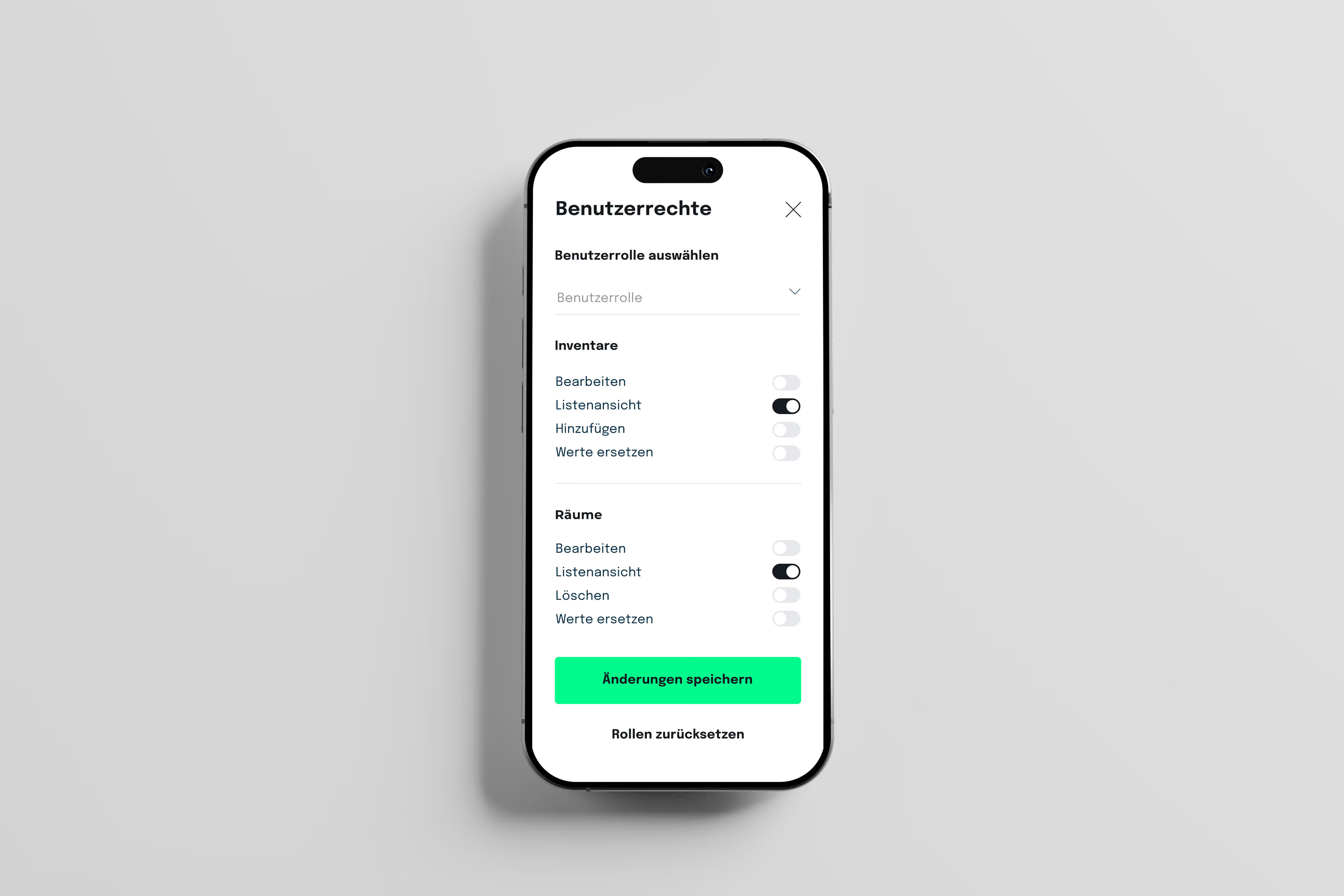
Role and rights management:
Assign different roles and permissions to different users within your team.

Room permissions:
Define specific access rights for individual rooms to ensure data security. Inventory and room history:
Track the changes and activities of individual objects and rooms over time.

PDF reports:
Create reports in PDF format for maintenance and handovers and sign them in the app.

CSV import and export:
Import and export data to easily share or edit with other applications. Inventory tracking:
Keep an eye on individual items and receive notifications when changes are made.

Single sign-on:
Simplify the login process and improve security with centralized login authentication. Circularity Hub:
Promote the circular economy by sharing unused items.

Integrations with Personio and SAP: Seamlessly connect inventory software to other business applications to ensure seamless exchange of information.

Do I need expensive scanner hardware?

No, you don't need any additional equipment. Our app professionally transforms your existing smartphones into high-end barcode scanners.

If required, we have cooperations with powerful scanner providers.

Is there a test/trial phase?

Yes — on request, we can set up a 14-day trial instance, accompanied by a kick off call and basic configuration. No credit card required.

Does seventhings also work with our existing systems?

Yes. With the help of the seventhings API, seventhings offers the option of integrating existing systems into your IT landscape. We offer standard interfaces to leading HR systems (such as Personio), ERP solutions and Microsoft 365 to automatically synchronize data and avoid manual work.

How long does it take to implement?

The introduction is pragmatic and quick. Instead of months-long projects, we often start with premium onboarding, so you can see the first results after a very short time. Our experts will help you import your existing data (e.g. from Excel or third-party tools) and configure it so that you are immediately ready to go.

Is my data safe with seventhings?

Seventhings is 100% made in Germany and data protection is our top priority. Our solution is compliant with GDPR and GDPR. All data is encrypted via SSL during communication between client and server.